Instructions For Students
Attaching Files to Advising Notes
- From the Student Portal, students click Advising Notes at the top of the screen. They can click Add Files to simply upload a file.
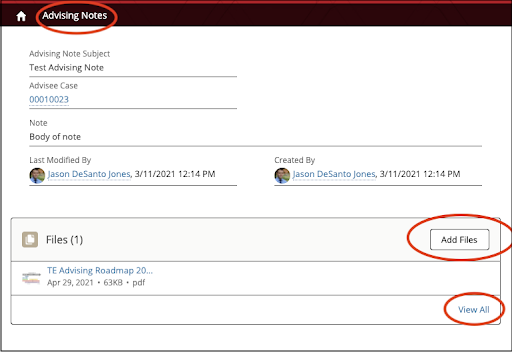
- Alternatively, they may click View All to see additional options (e.g., download, delete, etc.).
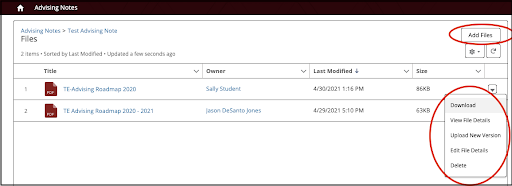
- Students may only delete files they have uploaded themselves.